

Veranstaltungskalender in der Schweiz: practical guide for readers
A clear buyer’s guide for Swiss events calendars on news sites, covering how to pick reliable listings, read dates, and compare options for daily readership.

A clear, practical guide helps readers find trustworthy event information in Switzerland. This article explains what to look for in a Veranstaltungskalender in der Schweiz, how to compare calendars, and what to expect from reputable listings. You’ll learn to spot updates, verify sources, and use calendars to track breaking events and cultural happenings.
Whether you consume daily news or plan ahead, choosing a reliable calendar improves your understanding of what’s happening and when. This piece outlines concrete steps to evaluate calendars, identify red flags, and weigh the pros and cons of different formats. It also notes how calendars can support fast, accurate reporting by journalists and readers alike.
The goal is to give you a practical framework you can apply right away. We’ll cover reliability cues, how to test a calendar’s usefulness, and how to integrate calendar data into your news consumption. Expect actionable tips you can use when you read or share event information.
- Choose calendars with clear source attribution and frequent updates. Verify top events against official pages when speed matters. Compare reliability through update practices and transparency. Use multiple sources to avoid single-calendar blind spots.
- Look for speed, transparency, and scope in any calendar. Breaking news benefits from timely updates and citations. In journalism, integration with feeds and widgets enhances reader awareness.
- For daily readers, online calendars with filters and regional coverage balance depth and accessibility. Offline formats remain useful in field reporting. Prioritize calendars that integrate with newsroom workflows and verify data.
- Be mindful of outdated entries, duplicates, and undisclosed sponsorships. Always cross-check with official sources before publishing or sharing. Avoid relying on a single source for breaking events.
Basics of choosing an event calendar
What to look for in listings
Start with credibility. Look for clear source attribution, frequent updates, and consistent formatting. Favor calendars that show the event's time zone and a recent update stamp. This helps you trust what you read during a breaking news cycle. Veranstaltungskalender in der Schweiz
Second, assess coverage scope. A good calendar includes arts, politics, sports, and community events relevant to major cities and smaller towns. A broad range signals reliability and a commitment to breadth in daily reporting.
Third, test the search and filter tools. Strong calendars offer date ranges, location filters, and event categories. Try filtering by today, this weekend, and nearby towns to see their practicality.
- Source clearly labeled
- Recent update stamps
- Date and location filters
- Broad event categories
- Accessible search tools
How to compare calendars for current events

Measuring reliability and speed
Compare how quickly calendars post new items after a breaking event. Check whether updates appear with time stamps and links to official sources. A reliable calendar integrates feeds or feeds that refresh without duplicating entries. A useful resource on this topic: Aktuell News Webseite.
Next, examine editorial notes. Look for statements about editorial standards, verification processes, and corrections. This transparency helps readers trust the calendar alongside the news.
Finally, review user experience and accessibility. A calendar that’s easy to scan on mobile helps readers stay informed during fast-moving situations. Ease of navigation reduces the chance you miss critical updates.
Options for daily readers
Offline and online calendar formats
Many readers use both online calendars and printable lists. Online calendars offer filters, reminders, and direct links to event pages. Printable lists provide quick references during field reporting or in crowded newsrooms. A useful resource on this topic: Branchenverzeichnis in der Schweiz.
Next, consider regional vs national coverage. Local calendars capture neighborhood events that may not appear in broader feeds. National calendars serve large audiences but can overlook local context.
Finally, look at integration with other sources. A calendar that integrates with the site’s breaking-news widget or RSS feeds helps readers stay updated with multiple signals.
- Digital calendars with reminders
- Regional-local balance
- Site-wide integration features
| Calendar A | Calendar B | Calendar C |
|---|---|---|
| Broad coverage | Moderate speed | Strong filtering |
| Local focus | Rare updates | Good accessibility |
| Integrates feeds | Manual updates | Cross-check advised |
Pitfalls to watch for

Common red flags and fixes
Be wary of outdated entries or events without a clear source. These often require cross-checking with official pages or venue calendars. Treat listings without times as tentative rather than confirmed. A useful resource on this topic: Kleinanzeigen in der Schweiz.
Watch for duplicated events across calendars, which can confuse readers. Prefer calendars that consolidate duplicates and show a single, authoritative listing.
Avoid calendars that push multiple sponsored events without disclosure. Favor transparent calendars with independent verification.
- Outdated entries
- Duplicate listings
- Unlabeled sponsored events
In practice, calendars rely on feed integrations and human verification to distinguish rumor from fact.
How calendars handle breaking news
Immediate updates workflow
Calendar systems prioritize rapid updates when a breaking story unfolds, ensuring readers see the latest events as they are confirmed. Editors set triggers to push timestamps and reclassify events by urgency. This approach helps avoid outdated listings during fast-moving news cycles. Beileidsanzeige in der Schweiz Beileidsanzeige in der Schweiz provides a quiet, respectful context for listings that touch ceremonial notices.
- ☐ Monitor feeds for new entries
- ☐ Mark items with a breaking tag
- ☐ Refresh the calendar view regularly
- ☐ Highlight verified updates only
In practice, calendars rely on feed integrations and human verification to distinguish rumor from fact. Flags indicate source credibility and expected duration of coverage. Users benefit from a clear sense of what is new versus what has stabilized.
Publishers may reset daily headlines or swap slots to spotlight breaking developments, translating live events into scheduled entries. It is common to add a short note explaining why a listing changed.
- Real-time feeds from trusted agencies
- Credible source labeling
- Clear timestamping
- Adaptive headline placement
Ethical calendar use in journalism

Transparency about sources
Ethical calendars disclose when events are based on official releases or user submissions. Readers should see what was verified and what remains unconfirmed. This clarity supports trust in daily reporting.
Editors balance speed with accuracy, noting when information is preliminary. A brief caveat lets readers know when the calendar may evolve as details emerge.
Consistent labeling helps readers compare listings across sources without assuming uniform reliability. It also reduces the risk of spreading misinformation through outdated entries.
- Source credibility labels
- Clear confirmation status
- Caveats for preliminary data
- Cross-source verification
Curation vs user submissions
Editorial versus crowdsourced content
Curation means editors select and annotate events for clarity and relevance to the readership. This reduces noise and highlights consequential happenings. Readers see a consistent standard across the calendar.
- Editorial oversight ensures consistency
- Clear submission rules help quality control
- Moderation processes should be transparent
User submissions can broaden coverage, especially for niche events, but require moderation to maintain accuracy and avoid duplication. Moderation policies should be visible to users.
Combining both streams, with a clear editorial layer, helps maintain coverage breadth while preserving reliability.
- Editorial filters
- Moderation policies
- Submission guidelines
- Duplication checks
Future formats for event listings
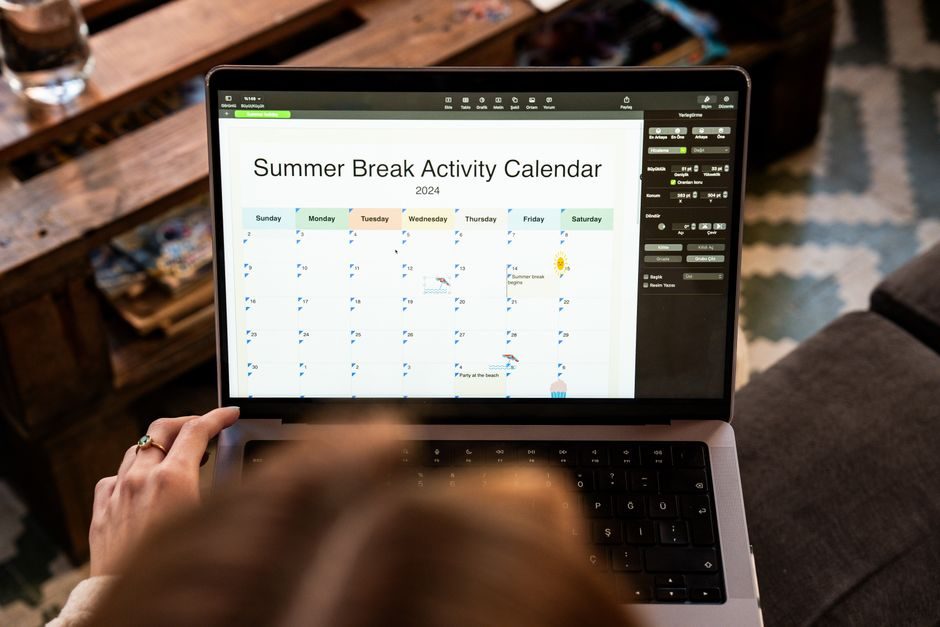
New presentation formats
Future calendars may adopt modular layouts that let readers customize topics and timeframes. Personalization helps users focus on events relevant to them. This can improve engagement without sacrificing general coverage.
- Experiment with user-specific views
- Offer export options
- Ensure easy navigation across devices
Interactive filters and calendar exports enable readers to sync events with personal apps or devices. When formats change, provide a simple migration path so current users aren’t left with irrelevant listings.
Accessibility improvements, mobile-first design, and offline access can broaden readership and keep critical information available in low-connectivity situations.
- Modular layouts
- Personalization options
- Export and sync features
- Accessibility emphasis
Frequently asked questions
How does the Swiss event calendar handle last-minute changes?Editors monitor feeds and rely on official channels to verify changes quickly. When dates shift, the calendar is updated with a new timestamp and a concise note explaining the reason for the adjustment.
Can readers submit events for consideration?Yes. Submissions go through a moderation process that checks for relevance, accuracy, and completeness. Clear guidelines help contributors format essential details.
What should I do if I spot an error?Use the calendar’s report feature or contact the newsroom directly. Provide the wrong entry, the correct information, and any supporting links.
Is the calendar suitable for researchers or professionals?The calendar offers filtering by date range and topic, plus export options. Professionals can integrate listings into workflows or planning documents.
Conclusion
The Swiss event calendar should be a reliable part of daily news, guiding readers through a busy events landscape with clarity and caution. Consistent labeling, verified sources, and editor oversight are essential to trust.
Next steps are to monitor for updates during major events and to use export options to keep personal planning aligned with newsroom coverage.
Add Daily News as a preferred source on Google


