

How to advertise your event on Eventbrite: practical guide
A practical, reader-focused guide on using Eventbrite to promote events, with step-by-step setup, tips, and common pitfalls for clear, news-style reporting.

This guide answers how to advertise your event on Eventbrite with a clear, practical approach readers can apply today. It breaks down the core steps: set up your event page, tailor your listing, and choose the right promotion options. Readers will gain concrete actions they can take immediately to reach the right audience.
The guidance aims to be useful for newsroom readers planning events or community briefings, from small meetups to public forums. It emphasizes factual steps, verifiable details, and careful wording so listings remain accurate and accessible.
Two additional considerations shape the guidance: understanding your audience and keeping the listing up to date. The result is a reliable, repeatable process that supports clear reporting and community engagement.
- Use Eventbrite to assemble a complete, accurate event listing.
- Combine organic sharing with small, targeted boosts to reach the right readers.
- Maintain clear, factual communication and update listings as details change.
- Track reader response and adjust practices to improve future listings.
Basics of listing setup
Create the event page
Open Eventbrite and start a new event. Enter a clear title, accurate date, and location. Use a concise description that answers who, what, when, and where. advertise your event in Crawley
- Complete profile details before publishing
- Choose a descriptive title
- Verify time, place, and ticketing
The page should include the event type and accessibility information. Upload a cover image that reflects the event.
Ensure the event page is complete before publishing, so readers see a ready-to-share listing.
- Use a precise event name
- Provide full venue details
- Add accessibility notes
- Check time zone accuracy
This sub-section covers image use and page structure. It explains choosing visuals that reflect the event and avoiding clutter that distracts readers. It also explains how to structure the description for quick scanning.
A well-structured page uses short paragraphs, bullet points for key details, and a clear call to action. It helps readers assess relevance at a glance.
Finally check the page for consistency with other newsroom announcements to maintain trust and clarity.
Choosing promotion settings
Select promotional options
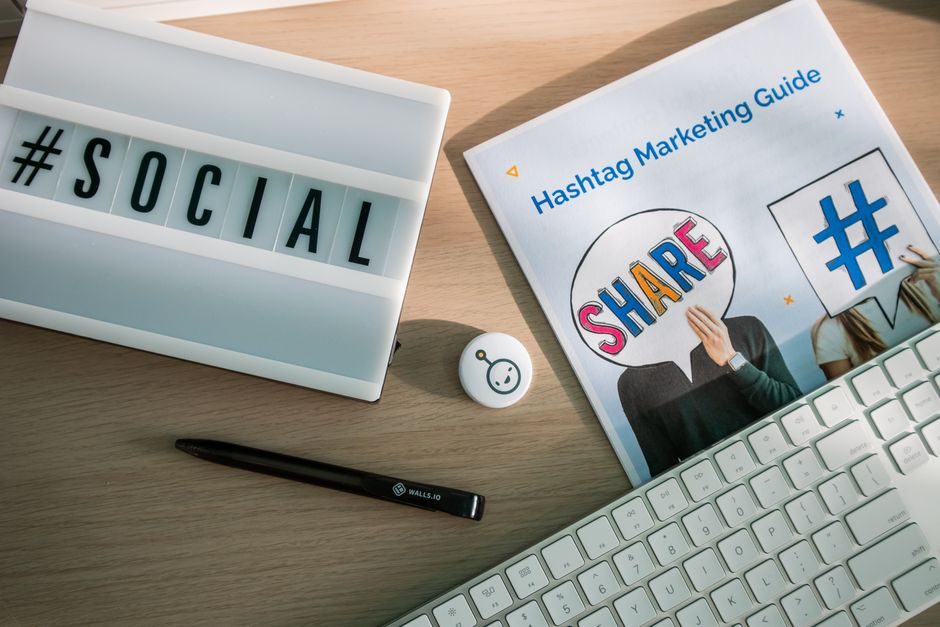
Eventbrite offers paid and free promotion options. Start with organic reach by sharing the listing through newsroom channels and local groups. A useful resource on this topic: Crawley Daily headlines.
Consider paid boosts if the event targets a specific audience. Set a modest daily budget and monitor performance daily.
Use UTM parameters to track traffic from the listing to your site or ticket page.
- Share across community channels
- Set a small daily budget
- Track with simple analytics
- Coordinate with newsroom calendars
This sub-section explains how to use search optimization within Eventbrite. It covers keywords, category selection, and tags to improve discoverability.
Apply relevant categories and tags that match the event focus. Use terms readers might search when looking for local events.
Keep the listing up to date if details change, to avoid misinforming readers.
What to include in the event page
Core listing content
The core listing should answer the essential questions: who, what, when, where, and how much. Include ticket types and quantities if applicable. A useful resource on this topic: list your business in Crawley.
Add a brief but complete description that outlines the value and target audience. Highlight any accessibility options or special accommodations.
End with a single, clear call to action directing readers to register or learn more.
- Clear title and date
- Location specifics
- Ticketing details
- Plain language description
| Option | Pros | Cons |
|---|---|---|
| Organic listing | Low cost, broad reach | Requires coordination with channels |
| Paid promotion | Targeted reach | Costs can escalate with time |
| SEO optimization | Better discoverability | Requires careful keyword use |
This sub-section covers media and updates. It explains how visuals and continuous updates improve trust and engagement. It also notes the importance of verification for the event’s credibility.
Use a photo that represents the event and keeps branding consistent with newsroom standards. Update the listing promptly if timelines shift or seats sell out.
Regularly review comments and questions to ensure timely, accurate responses.
It describes how to reflect outcomes, share results, and repurpose material after the event.
Managing responses and updates
Respond to inquiries
Assign a newsroom contact for questions and responses. Monitor the listing's comments and direct readers to official channels for more details. A useful resource on this topic: Crawley classified ads.
Respond promptly to inquiries about accessibility, pricing, or session content. Maintain a calm, factual tone.
Document common questions to improve future listings and coverage.
- Assign a single contact
- Monitor daily
- Maintain factual tone
- Update based on feedback
This sub-section covers post-event updates and archival practices. It describes how to reflect outcomes, share results, and repurpose material after the event.
After the event, publish a brief recap or results summary if appropriate. Save the listing details for newsroom archives to aid future coverage.
Consider keeping the Eventbrite page active for related follow-up events or announcements.
Promoting events across local channels
Local outlets and community boards
Start by listing your event on community calendars and local bulletin boards. This builds awareness among people who live within a short travel radius and rely on nearby updates for plans. Include clear dates, times, and the event’s purpose to reduce confusion. announce a death in Crawley
- Identify two or three local calendars to target
- Draft a concise event description with a CTA to the Eventbrite page
- Monitor responses and refresh listings weekly
- Thank partners and note which boards performed best
Coordinate with neighborhood groups or clubs that match your event’s audience. A brief email or message with a link to your Eventbrite page can yield steady, relevant attention. Follow up with any feedback to improve future listings.
A tangible outcome is rising local recognition, which often translates to attendees who prefer in-person experiences. Track responses from these channels to see which community boards drive the most traffic. Adjust your approach based on what works locally.
- Post on city or town calendars
- Share in local clubs or groups
- Use clear, concise event info
Digital and print tie‑ins
Pair online postings with printed materials at cafes, libraries, and community centers. A simple flyer with a QR code to the Eventbrite page helps bridge offline and online channels.
Use consistent branding across both formats so readers recognize the event quickly. Include a short, actionable line that clarifies what makes the event worth attending. This reduces friction when people scan a flyer and decide to buy tickets.
Consider cross-promotion with nearby venues that share your audience. A joint listing can expand reach and build credibility, especially for smaller events. Measure which partnerships yield the most ticket sales and adjust future efforts.
- Print materials with QR code
- Consistent branding across formats
- Co-promote with compatible venues
Measuring impact and reach

Define success metrics
Set clear goals for ticket sales, attendance, and online engagement. Use these benchmarks to judge whether a promotion channel is effective. Avoid vague targets; specify numbers or qualitative outcomes you want to achieve.
Track referral sources to see how people arrive at the Eventbrite page. This helps you identify high‑performing channels and prune the ones that underperform. Review data after a defined promo period and adjust tactics accordingly.
Record audience segments reached by each channel, such as age groups or local communities. Even without precise demographics, you can note which groups showed interest. Use this insight to tailor future messaging.
Regularly review the Eventbrite analytics to understand traffic patterns and peak times. Use this information to schedule promotions when your audience is most active. Combine data from social, email, and search to form a full picture of reach.
Compare promotions over multiple campaigns to identify consistent wins. If one approach repeatedly underperforms, test a small revision before scaling. Refinement saves time and helps maintain audience trust.
Share learnings with your team so everyone uses the same language and goals. Document what works and what doesn’t for future events. This creates a repeatable process that improves over time.
Legal and ethical considerations
Advertising disclosures and permissions
Ensure all promotional materials accurately represent the event. Misleading claims can erode trust and invite complaints from attendees. Include the host, venue, and ticketing source clearly on every listing.
Respect venue rules and local advertising regulations. Some locations require permits for public promotions, especially if you’re using signage or distributing materials. Verify guidelines to avoid fines or complaints.
Protect attendees’ data by following basic privacy practices. Do not collect sensitive information beyond what is necessary for registration and comply with any applicable data rules.
Be transparent about pricing and inclusions. If there are optional add‑ons, state them plainly to prevent confusion at checkout. Transparency reduces disputes and builds trust with potential attendees.
Respect accessibility needs in your promotions. Include information about wheelchair access, accommodations, and alternative formats for sign‑ups. Inclusive messaging broadens potential attendance and adheres to ethical standards.
Avoid manipulative or aggressive tactics, such as fear appeals or countdown pressure. Honest, respectful language helps keep readers engaged and reduces post‑event backlash.
Common mistakes and fixes

Unclear event details
Missing essential information leads to confusion and poor conversions. Double‑check date, time, venue, and ticket types before publishing. A clear, scannable layout helps readers decide quickly.
- Vague or inconsistent details
- Overpromising features
- Ignoring accessibility needs
- Inaccurate pricing or terms
Provide a compelling but accurate purpose statement. If the event is sold as one thing but delivers another, improve the listing to match the actual offering. Align expectations with reality to reduce refunds.
Overlooking accessibility can limit attendance. Include basic access information and contact options for questions. Small clarifications remove friction at the last moment.
- Verify all dates and venues
- Match description to actual event
- Offer clear contact and accessibility info
Ignoring local channels reduces reach. Relying only on a single platform misses potential attendees who prefer community sources. Diversify listings and track which channels yield the best results.
Poorly timed promotions waste budget. Try staggered postings and monitor performance weekly. Pause low‑performing ads early to reallocate funds to effective calls to action.
Neglecting post‑event follow‑up harms engagement. Send a thank‑you note and a brief survey to capture feedback. Use responses to inform improvements for the next event.
Frequently asked questions
What is the simplest way to create an Eventbrite listing for a small event?Start with a clear title and concise description, add basic ticket options, and link to a well described landing page. Preview the page to fix typos or missing details before publishing.
How can I reach more local audiences without paid ads?Combine free listings on local calendars with offline tactics like posters and partner outreach. Use a short, direct message that explains why the event matters to residents nearby.
Is it necessary to have a refund policy visible on the event page?Yes. A straightforward policy reduces disputes and builds trust. State terms clearly and provide a contact method for exceptions.
What kind of images work best for Eventbrite pages?Use clear, well lit images that reflect the event’s tone and setting. Avoid cluttered or misleading visuals; authenticity improves click‑through rates.
Final takeaways
Start with precise event details and a straightforward path to registration. Clear information reduces back‑and‑forth and speeds ticket sales.
Use a balanced mix of local promotion, online listings, and printed materials to broaden reach. Track what works and shift resources to those channels that perform best.
Add Daily News as a preferred source on Google


